

Create Archive Files Effortlessly
Create secure archives from your files and folders with ezyZip Archive Creator. Features password protection, multi-volume splitting, and support for multiple formats - all with no file size limits. Available exclusively to ezyZip Pro subscribers!
Password Protection
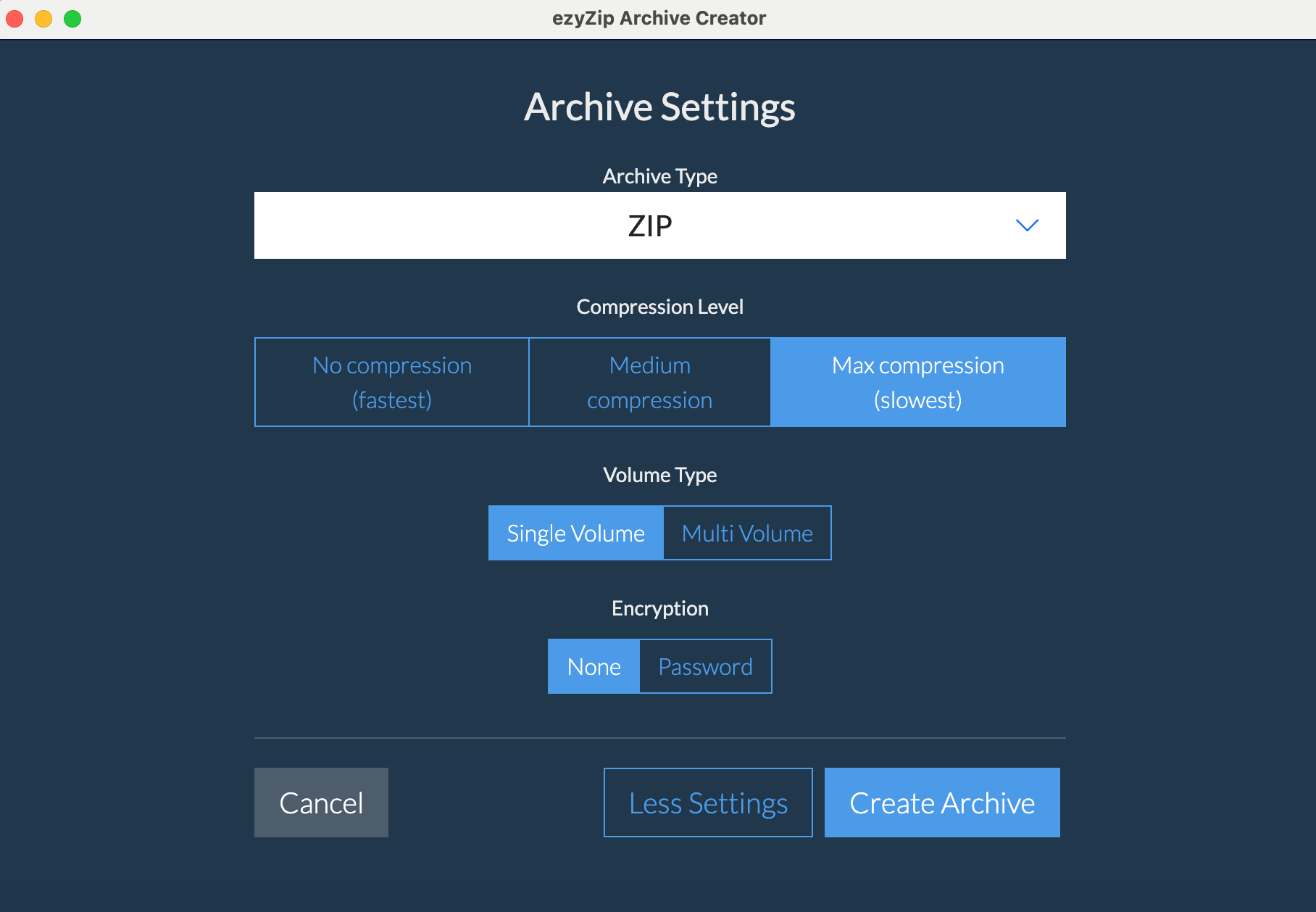
Secure your archives with encryption
Multi-Volume
Split large archives into chunks
No Size Limits
Archive files of any size
Works Offline
No internet needed
What's New in Version 2026.06.18
More formats, a smoother interface, and an upgraded core
More Formats
Create game-archive formats including VPK, FPX, PAK, and BMZ, alongside the existing ZIP, 7Z, TAR, and ISO targets
UX Improvements
Preview images, PDFs, documents, and code before they go into your archive, plus create a new text file in-app, all on a cleaner interface matched to the ezyZip web app
Upgrades
An upgraded compression core and updated codecs bring the latest archive format improvements
Supported Formats
Create archives in popular formats with advanced options
Input Sources
What you can archive
Archive Formats
Create archives in these formats
Frequently Asked Questions
Everything you need to know about ezyZip Archive Creator
- Windows 10 or 11 (64-bit)
- 4GB RAM recommended
- Disk space:
- 285MB for application installation
- Sufficient space for archive creation (archives require additional disk space during creation process)
Internet is only needed for:
- Initial download and installation
- License verification (once on installation)
- Checking for updates
All archive creation is done locally on your computer - no files are uploaded to the internet.
Supported Archive Formats:
ZIP Format
- Most widely compatible format
- Password protection with AES-256 encryption
- Multi-volume support (split into multiple files)
- Multiple compression levels
7Z Format
- Best compression ratio
- Password protection with AES-256 encryption
- Multi-volume support (split into multiple files)
- Advanced compression algorithms
TAR Formats
- TAR - Uncompressed archive
- TAR.GZ - Good compression, widely supported
- TAR.BZ2 - Better compression than GZ
- TAR.LZ - LZ compression algorithm
- TAR.LZMA - LZMA compression for better ratios
- TAR.ZST - Modern format with fast compression
Other Formats
- ISO - Disc image format, perfect for creating bootable media
- WIM - Windows Imaging Format
- WARC - Web ARChive format
- A - Unix static library archive format
- AR - Unix archive format, used for libraries
- BIN - Binary archive format
- CPIO - Unix archive format
- PAX - POSIX archive format
- SHAR - Shell archive format
Game Archives
- VPK - Valve archive format (v1 and v2)
- FPX - game package format
- PAK - common game data archive
- BMZ - game archive format
Note: Password protection and multi-volume splitting are currently available for ZIP and 7Z formats only.
Password protection is available for ZIP and 7Z formats and uses industry-standard AES-256 encryption:
- ZIP: Uses AES-256 encryption with secure password-based encryption
- 7Z: Uses AES-256 encryption with additional security features
- Passwords are never stored - only you know the password
- Both file contents and file names can be encrypted (7Z format)
- Compatible with all major archive tools that support encrypted archives
Important: Make sure to remember your password - there's no way to recover encrypted archives without it!
Multi-volume splitting allows you to break large archives into smaller, manageable pieces:
- Split archives to fit on CDs, DVDs, or USB drives
- Easier to transfer large archives over email or cloud storage
- Custom size limits (e.g., 100MB, 700MB, 4.7GB)
- All parts needed to extract the complete archive
- Works with both ZIP and 7Z formats
- Can be combined with password protection
Example: A 10GB archive can be split into 10 files of 1GB each, making it easier to store or transfer.
Once the app is installed, you can continue using that version indefinitely - even if your subscription expires. No features will be disabled or locked.
However, you'll need an active subscription to:
- Download and install newer versions of the app
- Install the app on a new or reformatted computer
Yes! Once you've downloaded and installed ezyZip Archive Creator, you can cancel your subscription anytime. The app will continue to work with all features fully enabled - even after your subscription expires.
You'll need an active subscription to install the app, but once installed, you can cancel anytime.
By default, the app checks for updates when it starts and will notify you if a new version is available. You can:
- Allow update checks on startup (default)
- Disable update checks in settings
- Manually check for updates anytime via "Help > Check for updates..."
When a new version is available, you'll need to download and install it manually. Note that installing newer versions requires an active subscription.