
Extract Archive Files Effortlessly
Preview and extract archives in just a few clicks with ezyZip Archive Extractor. Open 250+ formats, with over 100 new archive types in this release, from Windows installers and Mac StuffIt to vintage DOS archives, plus smart content-based detection that opens files even when the extension is wrong or missing. Available exclusively to ezyZip Pro subscribers!
Rich Preview
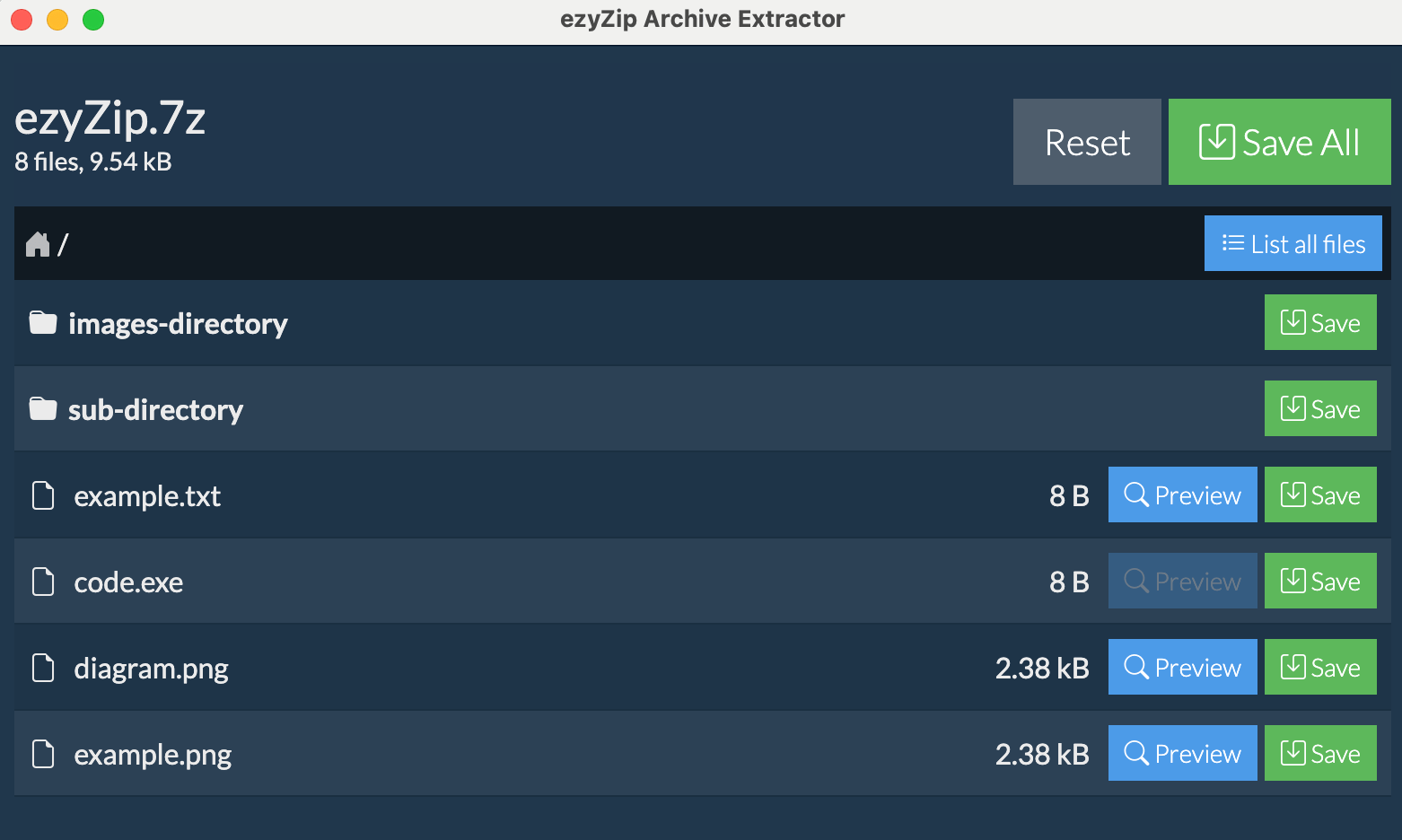
PDFs with selectable text, Word, Excel, RAW photos, and syntax-highlighted code, right inside the archive
Ultra Fast
Modernised core for faster cold starts and smoother handling of edge-case archives
Works Offline
No internet needed
Secure
Process files locally
What's New in Version 2026.07.27
Over 100 new formats, content-based archive detection, and full parity with the ezyZip web app
100+ New Formats
Seventeen new decoder engines open the complete DOS, CP/M, Amiga, classic Mac, Apple II, RISC OS and Commodore back-catalogue, plus Mac StuffIt, Apple Archive, FreeArc and WARC web archives
Windows Installers
Extract the files inside Inno Setup, InstallShield, WiX Burn, Squirrel, Advanced Installer, Clickteam, Wise, Setup Factory and CreateInstall installers, without running them
Vintage DOS Archives
Twenty-six DOS-era formats run their original extraction tools inside a built-in emulator, so archives like UHARC, LIMIT, HAP and BOA decode exactly as they did in 1995
Supported Formats
Extract from 250+ archive formats including Windows installers, Mac StuffIt, vintage DOS archives, game archives, and disc images
Popular Formats
Full support for these common archives
Vintage & Rare Formats
Extract from legacy and specialized archives
Frequently Asked Questions
Everything you need to know about ezyZip Archive Extractor
- Windows 10 or 11 (64-bit)
- macOS 11+ (Apple Silicon)
- 4GB RAM minimum (8GB recommended for batch operations)
- Disk space:
- ~500MB for application installation (larger to accommodate the new extractors)
- Sufficient temporary space for file extraction (at least as much as your largest archive size)
Internet is only needed for:
- Initial download and installation
- License verification (once on installation)
- Checking for updates
All file processing is done locally on your computer - no files are uploaded to the internet.
Supported Formats:
ezyZip Archive Extractor supports over 250 formats, including:
Popular Formats (Full Support):
- Zip, Zipx, RAR, 7z, Tar, Gzip, Bzip2, LZMA, XZ, CAB, MSI
- RAR now powered by the official UnRAR 7 engine, including RAR5, solid, and header-encrypted archives
- MSIX, APPX (Windows app packages)
- ISO, BIN, MDF, NRG, CDI disk images
- NSIS installers
- EXE (self-extracting archives)
Windows Installers:
- Inno Setup (including password-protected installers), InstallShield, WiX Burn, Squirrel, Advanced Installer, Clickteam, Wise, Setup Factory, CreateInstall
- The installer family is detected automatically from the file's structure
- Multi-part installers with companion .bin or data1.cab files are handled as one archive
Game Archives:
- VPK, FPX (Valve / Source Engine)
- PAK, PCK, GMA (Quake, Half-Life, Garry's Mod)
- BSP (compiled game maps)
- GCF (Steam game cache)
- GRP (Duke Nukem 3D / Build engine)
- Doom and Quake WAD map packs
- Blizzard MoPaQ archives (MPQ), including common game maps
- Bethesda game archives (BSA, BA2)
Disc Image Descriptors:
- CUE, CCD, MDS, TOC, B5T, B6T (multi-file descriptors)
- CDI, C2D, CIF, MDF, DAA, ECM (single-file images)
Vintage Mac Formats:
- StuffIt, StuffIt 5, StuffIt X - Full support, including password-protected archives
- Self-extracting StuffIt (.sea) archives
- BinHex (.hqx) and MacBinary wrappers
- PackIt - Full support
- Compact Pro - Support without encryption
- DiskDoubler - Almost full support
Apple Formats:
- Apple Archive (.aar, .yaa) - Full support
- Apple Encrypted Archive (.aea) - Full support, with both passphrase and symmetric-key encryption
Vintage PC Formats:
- ARJ - Support without multi-part archives
- ACE / CBA - Unencrypted archives only (previously returned empty listings on desktop)
- ARC, PAK, ZOO, LBR - Full support
- Squeeze, Crunch - Full support
Vintage DOS Archives (built-in emulator):
- 26 DOS-era formats are decoded by running the original DOS extraction tools inside a built-in emulator, including UHARC, LIMIT, HAP, BOA, AIN, DWC, and CRUSH
- Dozens more DOS archivers open natively, including HA, HPACK, LArc, ChArc, PAKLEO, and Squeeze It (auto-detected)
Retro Systems:
- Commodore 1541 disk and tape images (D64, T64)
- Apple II ShrinkIt (SHK, BXY, SDK)
- RISC OS Spark and ArcFS
- CP/M libraries (LBR), TRS-80 The Compressor, Unix Freeze
Amiga Formats:
- LZH, LZX - Full support
- ADF, DMS - FFS support
- PowerPacker - Full support
- Multiple additional Amiga formats
Korean Archive Formats:
- ALZ (ALZip) - Support without encryption
- EGG - Full support
Gaming & Disc Images:
- WBFS - Wii Backup File System
- WDF, WDF1, WDF2 - Wii disc formats
- CISO, WIA, GCZ, RVZ - Wii / GameCube disc images
Modern Compression:
- LZ4 - Fast compression
- LZOP - Fast compression
- BZ3 (BZIP3) - Enhanced compression
- Zstandard (.zst) - Enhanced support
- Brotli (.br)
- Lizard, LZ5
- rzip (.rz), lrzip (.lrz)
- Snappy (.sz), raw zlib (.zl)
- B6Z
Specialty Archives:
- ZPAQ (journaling archive format)
- FreeArc, including password-protected archives
- PEA (encrypted)
- ASAR (developer format)
- HFS (Apple filesystem images)
Other Specialized Formats:
- RPM, Deb, Ar - Full support
- WARC web archives - extracts pages and images as usable files
- XAR - FFS support
- NSA/SAR - Partial support
- NDS - Full support
- SWF - Support for images and audio
- PDF - Support for bitmap images
The app uses a curated set of specialised extractors and identifies every file by its contents rather than its filename, so archives with a wrong, generic, or missing extension still open in the right decoder.
Once the app is installed, you can continue using that version indefinitely - even if your subscription expires. No features will be disabled or locked.
However, you'll need an active subscription to:
- Download and install newer versions of the app
- Install the app on a new or reformatted computer
Yes! Once you've downloaded and installed ezyZip Archive Extractor, you can cancel your subscription anytime. The app will continue to work with all features fully enabled - even after your subscription expires.
You'll need an active subscription to install the app, but once installed, you can cancel anytime.
By default, the app checks for updates when it starts and will notify you if a new version is available. You can:
- Allow update checks on startup (default)
- Disable update checks in settings
- Manually check for updates anytime via "Help > Check for updates..."
When a new version is available, you'll need to download and install it manually. Note that installing newer versions requires an active subscription.
Yes! The preview window in v2026.07.27 handles far more than basic images. You can open:
- PDFs with selectable and copyable text
- Word documents (DOCX)
- Spreadsheets (XLSX, XLS, ODS, CSV)
- RAW photo formats (CR2, NEF, ARW, DNG)
- Modern image formats (AVIF, HEIC, HEIF, JXL, PSD, TIFF) alongside the usual JPG, PNG, GIF, BMP, WEBP, SVG, ICO
- Audio (MP3, WAV, OGG, FLAC, AAC, and more)
- Video (MP4, MKV, MOV, WEBM, AVI, and more)
- Syntax-highlighted source code across 20+ common developer languages
All without extracting the archive first. You can still extract individual files selectively, or pull the whole archive with a single click.
Yes. The app includes dedicated game-archive support for:
- VPK and FPX (Valve / Source Engine, Team Fortress 2, CS:GO, Portal)
- PAK, PCK, GMA (Quake, Half-Life, Garry's Mod)
- BSP (compiled game maps)
- GCF (Steam game cache)
- GRP (Duke Nukem 3D / Build engine)
- Doom and Quake WAD map packs
- A range of retro game containers (SIN, HOG, ORE, VPP, XZP, BEE_PACK, and more)
Yes. WBFS, WDF, WDF1, WDF2, CISO, WIA, GCZ, and RVZ Wii and GameCube disc images are all fully supported in v2026.07.27.
Yes, for unencrypted ACE and CBA archives. Previous desktop versions would sometimes return an empty listing for these files; v2026.07.27 extracts them reliably.
Password-protected ACE archives are not yet supported. The app shows a clear message when one is detected.
Yes. RAR is now handled by the official UnRAR 7 engine, the same decoder behind WinRAR. It opens standard password-protected RAR files and fully header-encrypted RAR archives, where even the file list is locked, including the newest RAR5 and solid archives. Enter the password once and the contents list and extract.
Yes. The desktop app opens Bethesda game archives (BSA and BA2) and Blizzard MoPaQ archives (MPQ), including common game-map files.
Yes. The app opens MSIX and APPX Windows app packages, so you can browse and extract their contents.
Yes. The app opens the eleven most common Windows installer families, including Inno Setup, InstallShield, WiX Burn, Squirrel, Advanced Installer, Clickteam, Wise, Setup Factory and CreateInstall, so you can see and extract the files inside a setup.exe without running it. The app recognises which installer built the file by inspecting its structure, then uses the matching decoder.
Multi-part installers with companion .bin or data1.cab files are handled as one archive: pick the setup file and the rest is found automatically. Password-protected Inno Setup installers are supported.
Yes. This is one of the app's specialities. Over 60 vintage formats are supported, from CP/M libraries and Commodore disk images to DOS archivers like UHARC, HAP, BOA and LIMIT.
For 26 of the most obscure formats, the ones with no modern decoder, the app runs the original DOS extraction tool inside a built-in emulator, so the files come out exactly as the format's author intended. Everything runs locally on your machine.
Yes. StuffIt, StuffIt 5, StuffIt X and self-extracting .sea archives open natively on both Windows and Mac, along with BinHex (.hqx) and MacBinary wrappers. Password-protected StuffIt archives are supported.
It will still open. The app identifies archives by their contents rather than their filename, so a file with a wrong, generic or missing extension is routed to the correct decoder automatically. This matters most for older archives, which often arrive renamed.
Yes. A WARC file is a raw record of a web crawl: each page is stored with its full HTTP headers wrapped around it. The app unwraps them for you, so a crawl extracts as real, openable files (HTML pages, images, stylesheets and scripts) instead of raw protocol records. Pages saved without a file extension are given one automatically so they open in your browser.
The file list is now paginated with adjustable page sizes (50, 100, 250, or 500 per page), so navigation stays smooth even on massive corporate backups, game asset dumps, or full-disk captures.
Yes! ezyZip Archive Extractor fully supports multipart/split archives, including:
- Traditional split archives (.001, .002, etc.)
- RAR multipart archives (.part1.rar, .part2.rar, etc.)
- ZIP split files (.z01, .z02, etc.)
- Modern ZIP multipart archives (.zip.001, .zip.002, etc.)
Simply open the first file in the sequence (e.g., .001 or .part1.rar), and the app will automatically detect and use all parts to extract the complete archive. All parts must be in the same folder.
Yes! When viewing an archive's contents, any nested archive files will show an "Open" button. Click it to extract and open the nested archive in a new window. You can have multiple archive windows open simultaneously.
This makes it easy to work with software bundles, nested backups, and multi-layer compressed data without manual extraction steps.
Absolutely! Use the multi-file selection to choose multiple archives. Their contents will be merged into a single combined listing. If files have the same name, they're automatically renamed (file.txt becomes file_2.txt). You can then save everything to one folder.
This works with any combination of supported formats - you can merge ZIP + RAR + 7Z files in a single operation.
ezyZip will scan the folder (including subfolders) and automatically find all archive files. Non-archive files like images, documents, and videos are silently skipped. All discovered archives are merged into one combined listing.
This is perfect for processing download folders, backup directories, or photo import folders.
For performance reasons, folder scanning processes up to 1,000 files. If your folder contains more files, consider selecting specific subfolders or using multi-file selection to choose archives individually.
No problem! When processing multiple archives, ezyZip will prompt you for each password-protected archive individually. The archive name is displayed so you know which password to enter.
We support over 100 legacy, vintage, and specialty formats including:
- DOS archivers: UHARC, HA, HPACK, LIMIT, HAP, BOA and dozens more, with 26 of the rarest decoded by the original DOS tools inside a built-in emulator
- 1980s-90s PC: ACE (unencrypted), ARC, ZOO, PAK
- Retro systems: Commodore D64/T64, Apple II ShrinkIt, RISC OS Spark and ArcFS, CP/M LBR, TRS-80 The Compressor
- Korean archivers: ALZ (ALZip), EGG
- Amiga: DMS (DiskMasher), ADF (Amiga Disk File), PowerPacker, IceCrunch
- Classic Mac: PackIt, StuffIt (all generations, including password-protected), Compact Pro, DiskDoubler
- Game/Console archives: Valve VPK, Quake PAK, Doom WAD, Wii and GameCube disc images (WBFS, WDF, CISO, WIA, GCZ, RVZ)
- Specialty: Apple HFS, ZPAQ, PEA, ASAR, FreeArc
If you have old backup media or retro computing archives, we can likely extract them!
The desktop app offers several advantages over the web version:
- No 2GB file size limit - extract archives of any size
- Batch processing - select multiple archives or entire folders
- Nested archive support - open archives within archives
- 250+ formats - the desktop app now matches the ezyZip web app format-for-format, from Windows installers and Mac StuffIt to vintage DOS, game, and disc-image formats
- Upgraded RAR engine - the official UnRAR 7 engine, the decoder behind WinRAR, for RAR5, solid, and header-encrypted RAR files
- Rich file preview - PDFs with selectable text, Word, Excel, RAW photos, and syntax-highlighted code
- Full offline capability - no internet required after installation
- Faster processing - native code execution