

Conversion instructions below
Go Ad-Free with ezyZip Pro!
Convert and compress media at native speed with no file size limits and no ads. ezyZip Pro includes a desktop Media Converter app supporting 140+ audio and video formats.
Watch a 60-second walkthrough
How do I convert aac to 16kHz?
- Choose your file. To select the aac file, you have two options:
- Click "Select aac file to compress" to open the file chooser
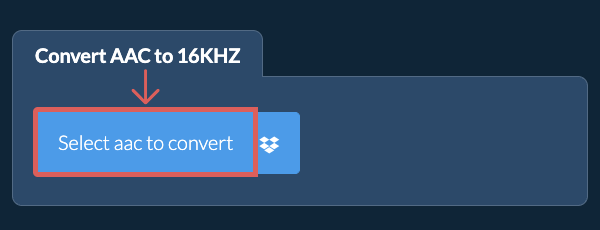
- Drag and drop the aac file directly onto ezyZip
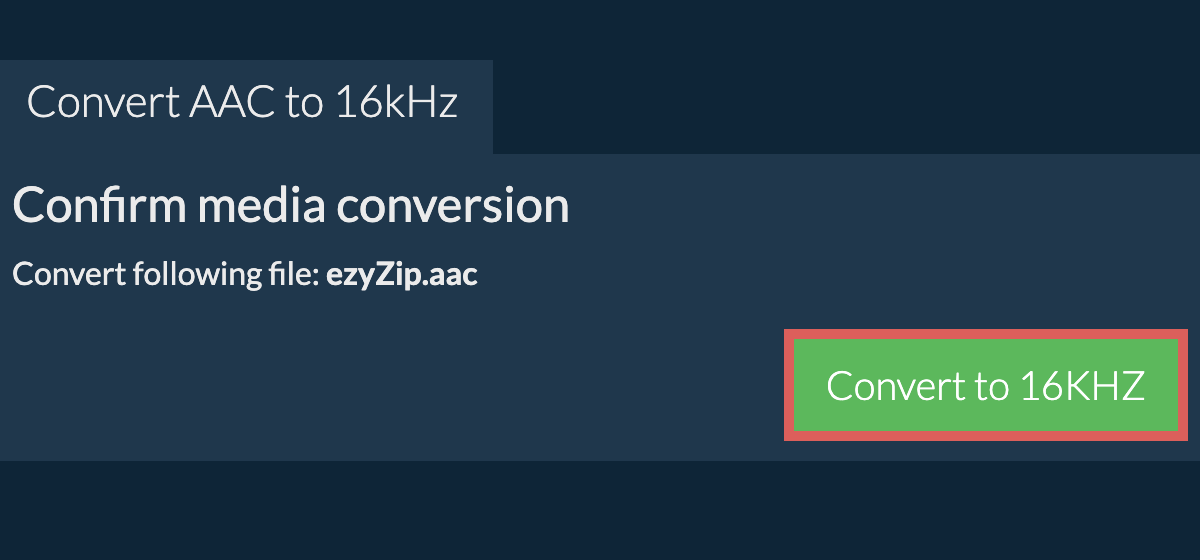
Click "Select aac file to compress" to open the file chooser - Convert the sample rate.Click "Convert to 16kHz". It will start the sample rate conversion process which will take some time to complete.
- Save the converted file.Click on "Save AAC File" to save the converted AAC file to your selected destination folder.
- Select from DropboxClick the down arrow (▾) next to the AAC file selection button, then choose "Select from Dropbox".

- Pick your filesA small ezyZip window opens. Click "Continue to Dropbox", sign in to Dropbox if asked, then pick what you want to convert.
- Follow the instructionsezyZip downloads the AAC file(s) into your browser. Then follow the instructions above.
- Save to DropboxWhen your file is ready, click the down arrow (▾) next to the save button and choose "Dropbox". The first time, Dropbox asks you to allow ezyZip access.
Files are saved in the /Apps/ezyZip folder.
- Select from Google DriveClick the down arrow (▾) next to the AAC file selection button, then choose "Select from Google Drive".
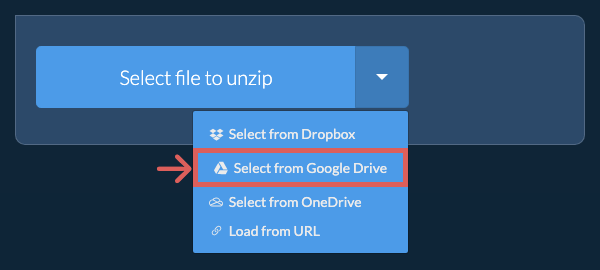
- Sign in and pick filesA Google Drive window opens. Sign in to Google if asked, allow ezyZip to access the files you choose, then pick what you want to convert.
- Follow the instructionsezyZip downloads the AAC file(s) into your browser. Then follow the instructions above.
- Save to Google DriveWhen your file is ready, click the down arrow (▾) next to the save button and choose "Google Drive". Sign in to Google if asked.
Files are saved in the My Drive/ezyZip folder.
- Select from OneDriveClick the down arrow (▾) next to the AAC file selection button, then choose "Select from OneDrive".
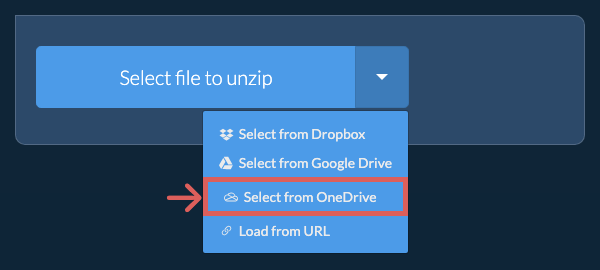
- Sign in and pick filesA OneDrive window opens. Sign in with your personal Microsoft account if asked and allow ezyZip access, then pick what you want to convert.
- Follow the instructionsezyZip downloads the AAC file(s) into your browser. Then follow the instructions above.
- Save to OneDriveWhen your file is ready, click the down arrow (▾) next to the save button and choose "OneDrive". Sign in with your Microsoft account if asked.
Files are saved in the Apps/ezyZip folder.
Frequently asked questions
We are continuously updating the system, so ensure you are using the latest version of one of the popular browsers or their variants. (e.g. Chrome, Firefox, Safari, Opera).
Please let us know via the feedback form if you have any issues.
ezyZip is a free online aac to 16kHz sample rate converter that runs in your browser. No need to install any additional compression software. It supports a myriad of other media types and sample rates.
Unlike other online media conversion utilities, ezyZip does not require uploading files to a server. Use it as many times as you want, completely free. It runs locally as a browser app, thus making it much quicker than other online conversion tools. This also ensures your privacy will be protected as no file data will leave your browser.
ezyZip processes files directly in your browser. Unlike most online tools, your files are not uploaded to our servers, which means faster processing and better privacy. Take a look at the feature comparison below and we think you'll agree that ezyZip is the better choice for your file conversion needs.
| Feature | ezyZip | Other Online Tools |
|---|---|---|
| No Software Installation | Works Directly in Browser | Works Directly in Browser |
| Processing Location | Your Browser (No Upload) | Their Servers (Upload Required) |
| Privacy & Security | 100% Private (Files Never Leave Your Device) | Files Uploaded, Accessible by Others |
| Processing Speed | Fast (No Upload/Download Time) | Slow (Upload + Process + Download) |
| Registration Required | Never | Often Required for Large Files |
| Works Offline | Yes (After Page Load) | No |
| Media Format Support | 200+ Audio/Video Formats | Limited (MP4, MP3 only) |
| Output Quality | Clean Output, No Watermarks | Watermarks Added |
| File Size & Usage Limits | 1GB Files, Unlimited Usage | 100-200MB, Daily Limits |
| Cost | 100% Free | Free with Limitations / Paid Tiers |
| Established | Since 2009 (15+ Years) | Recent (May Disappear) |
Why client-side AAC sample rate conversion is faster and more private
ezyZip's WebAssembly resampling engine performs sample-accurate rate conversion for AAC audio entirely within your browser. Here is why local processing is superior:
- Direct Filesystem AccessSource files are mounted directly into the WASM virtual filesystem, bypassing memory copy overhead and preserving original audio data integrity. The engine reads samples directly from your file without any lossy intermediate conversions.
- Professional Resampling AlgorithmsThe engine uses high-quality sinc interpolation for sample rate conversion, producing results equivalent to professional digital audio workstation (DAW) software. Whether upsampling from 44.1 kHz to 96 kHz or downsampling from 192 kHz to 48 kHz, aliasing artifacts are properly filtered.
- Off-Thread ProcessingA dedicated Web Worker handles resampling computation off the main thread, keeping your browser responsive during long operations. Real-time progress tracking shows exactly how far through the file the conversion has progressed.
- Sample-Accurate ResultsThe WASM resampling engine maintains bit-perfect accuracy throughout the conversion pipeline. Anti-aliasing filters prevent spectral artifacts, and dithering is applied when reducing bit depth alongside sample rate changes.