


Conversion instructions below

Go Ad-Free with ezyZip Pro!
Compress files of any size with no file size limits and no ads. ezyZip Pro includes a desktop Archive Creator app with password protection and multi-volume splitting.
Watch a 60-second walkthrough
How to convert folder to TAR.GZ file?
Below are step by step instructions for converting a folder online using ezyZip.
- Select folder to convertClick "Select folder to convert" to bring up the folder chooser
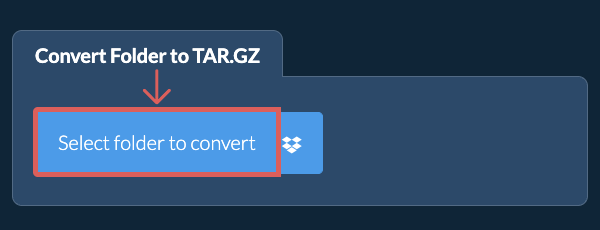
- (Optional) Set compression level(Optional) Set the desired compression level by clicking the down arrow next to "Create TAR.GZ File". This will only work with archive formats that support compression.
- Create TAR.GZ archiveClick "Create TAR.GZ File". It will start creating the TAR.GZ archive from your folder contents.
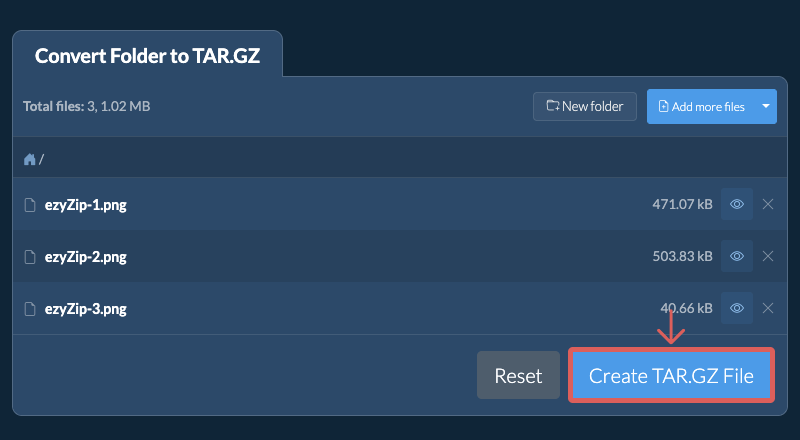
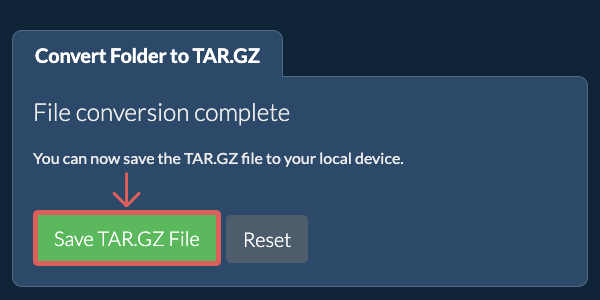
Once all the files are processed, the "Save TAR.GZ File" button will appear. - Save your archiveClick "Save TAR.GZ File" to save the folder archive to your selected destination folder.
Frequently asked questions
We are continuously updating the system, so ensure you are using the latest version of one of the popular browsers or their variants. (e.g. Chrome, Firefox, Safari, Opera).
Please let us know via the feedback form if you have any issues.
A TAR.GZ file is a combination of the TAR archive format and GZIP compression. First, files are bundled into a TAR archive, which preserves the directory structure and file metadata. Then, the TAR file is compressed using GZIP, significantly reducing its size. This format is commonly used in Unix and Linux environments for software distribution and backups.
TAR.GZ files are particularly popular because they offer the advantages of both archiving and compression in one format. By compressing the TAR file with GZIP, users can efficiently store or transmit large data sets while maintaining the integrity of the original file structure.
ezyZip processes files directly in your browser. Unlike most online tools, your files are not uploaded to our servers, which means faster processing and better privacy. Take a look at the feature comparison below and we think you'll agree that ezyZip is the better choice for your file conversion needs.
| Feature | ezyZip | Other Online Tools |
|---|---|---|
| No Software Installation | Works Directly in Browser | Works Directly in Browser |
| Processing Location | Your Browser (No Upload) | Their Servers (Upload Required) |
| Privacy & Security | 100% Private (Files Never Leave Your Device) | Files Uploaded, Accessible by Others |
| Processing Speed | Fast (No Upload/Download Time) | Slow (Upload + Process + Download) |
| Registration Required | Never | Often Required for Large Files |
| Works Offline | Yes (After Page Load) | No |
| Supported Formats | 350+ Archive Formats | Limited Format Support |
| Cost | 100% Free | Free with Limitations / Paid Tiers |
| Established | Since 2009 (15+ Years) | Recent (May Disappear) |