


Extraction instructions below

Go Ad-Free with ezyZip Pro!
Extract archives of any size with no file size limits and no ads. ezyZip Pro includes a desktop Archive Extractor app supporting 250+ formats including RAR, 7Z, and multipart archives.
Watch a 60-second walkthrough
How to open and extract SFX file?
- Select File To select the SFX file, you have two options:
- Click "Select SFX file to open" to open the file chooser
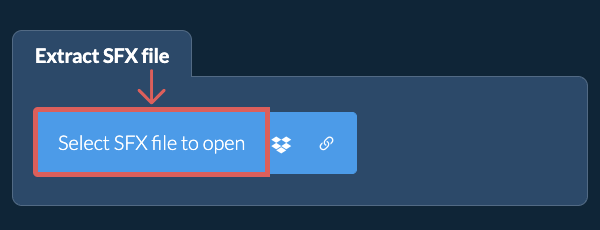
- Drag and drop the SFX file directly onto ezyZip
Click "Select SFX file to open" to open the file chooser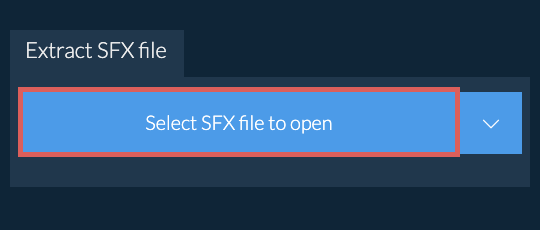
It will start the file extraction and list the contents of the SFX file once complete. - Save FilesClick the green "Save" button on the individual files to save to your selected destination folder.
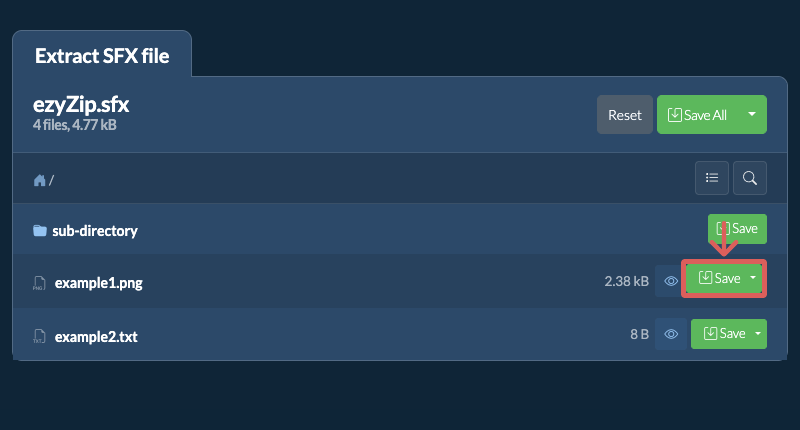
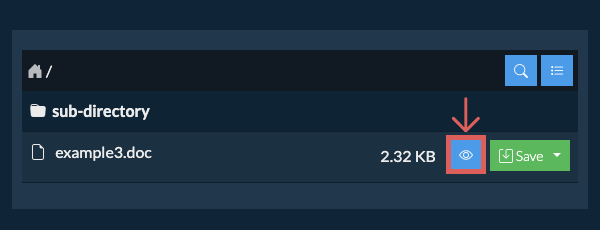
- Preview / ShareOPTIONAL: Click "Preview" to open directly in the browser. Click "Share" to send via e-mail, messenger, or other services. These options are only available for some file types.
Some newer browsers allow the saving of multiple files & folders into a designated target folder in one go. If you wish to extract all files in the SFX file and maintain existing folder structure, follow the steps the below:
- Open FileFollow the above instructions to open SFX file
- Click Save AllClick on "Save All". If the button is disabled, it means your browser does not support this feature or it is not enabled.
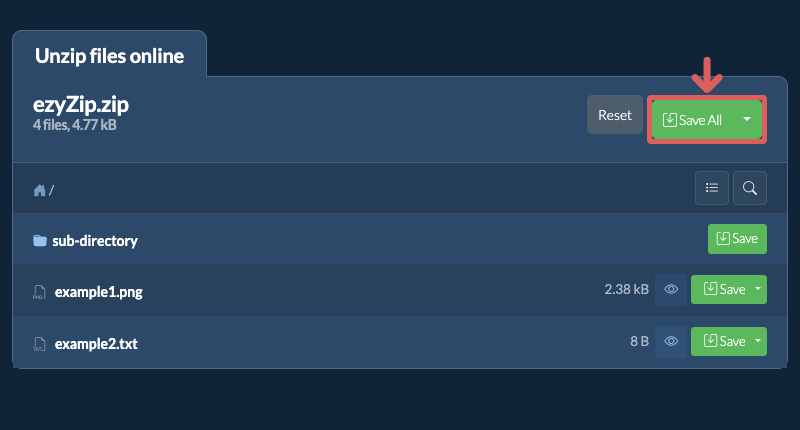
- Choose Destination FolderSelect an empty folder where you wish to extract the files. Please note: If you already have files with the same name, ezyZip WILL OVERWRITE THEM.
- Grant Folder AccessAfter you have selected the folder, the browser will ask for permission to access it. Click on "View files" followed by "Save changes".
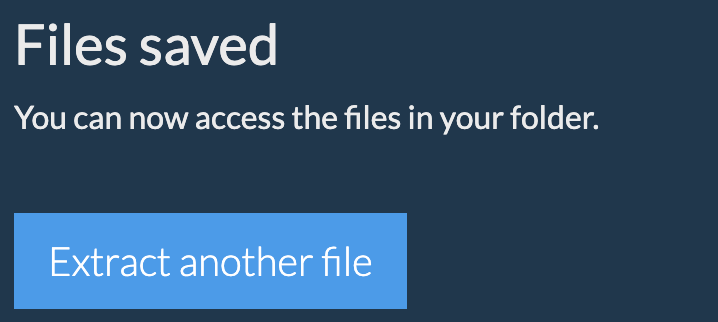
- Files SavedIt will then commence saving files and subfolders into the target you specified
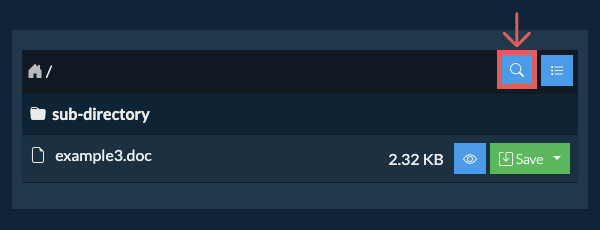
ezyZip lets you quickly find files inside a SFX archive without having to extract it first. This is especially handy for large archives with deep folder structures. Just use the built-in search to locate any file by name.
- Open SearchClick the blue search icon in the top right corner of the file listing to open the search bar.
- Enter Search TermType your search term into the input field. You need to enter at least 3 characters before results are shown.
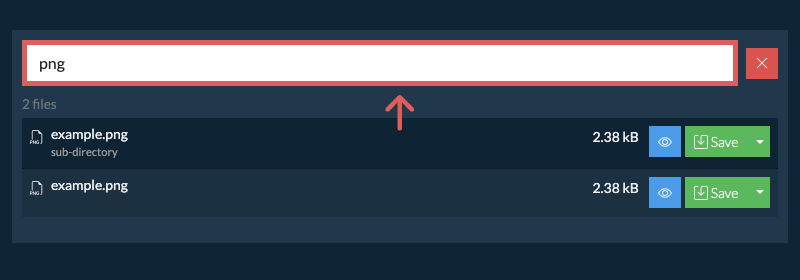
- Browse ResultsAll files that match your search term will be listed. From here, you can preview or save any file directly, or click the folder name shown beneath a file to jump straight to its location inside the archive.
If you want to see what's inside the SFX file without having to extract all the files first, follow the steps below:
- Open FileOpen the SFX file, as per instructions above. It will initially list the contents of the SFX hierarchically, sorted by folders.
- Show Full ListingClick on "List all files" to see the entire list of files inside the archive.
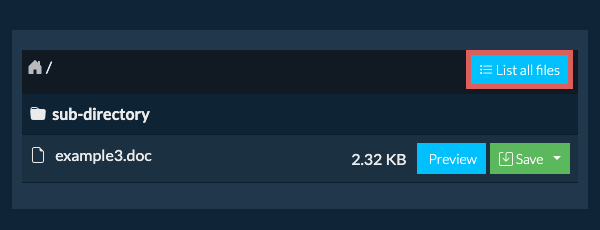
- Switch to Folder ViewClick on "List by folder" to go back to folder view.
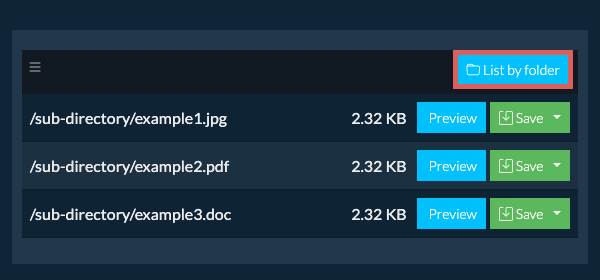
To extract just a subfolder and all its contents:
- Open FileFollow the above instructions to open SFX file
- Navigate to SubfolderNavigate to the parent folder within the SFX file
- Save SubfolderClick the "Save" button on the row of the subfolder you want to extract
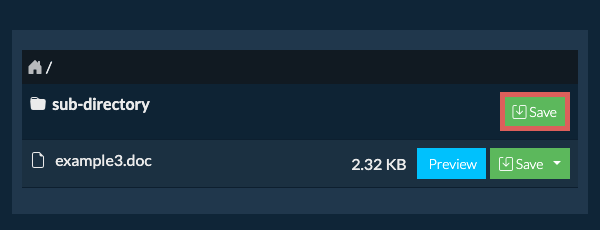
- Files SavedAll files and folders from that subfolder will be saved to your chosen destination.
Please note: This feature is currently only available on supported browsers like Chrome and Edge.
- Open Dropbox ChooserClick on the Dropbox logo () in the SFX file selector button.

- Authorise AccessThe Dropbox file chooser will appear. You will need to authorise access to ezyZip the first time.
- Browse ContentsOnce you have selected the SFX file, it will download it to your browser and show the contents.
- Save to DropboxTo save files to Dropbox, click on "Dropbox" dropdown under the "Save" or "Save All" buttons. You will need to authorise Dropbox for ezyZip the first time you do it.
Files will be saved in /Apps/ezyZip folder.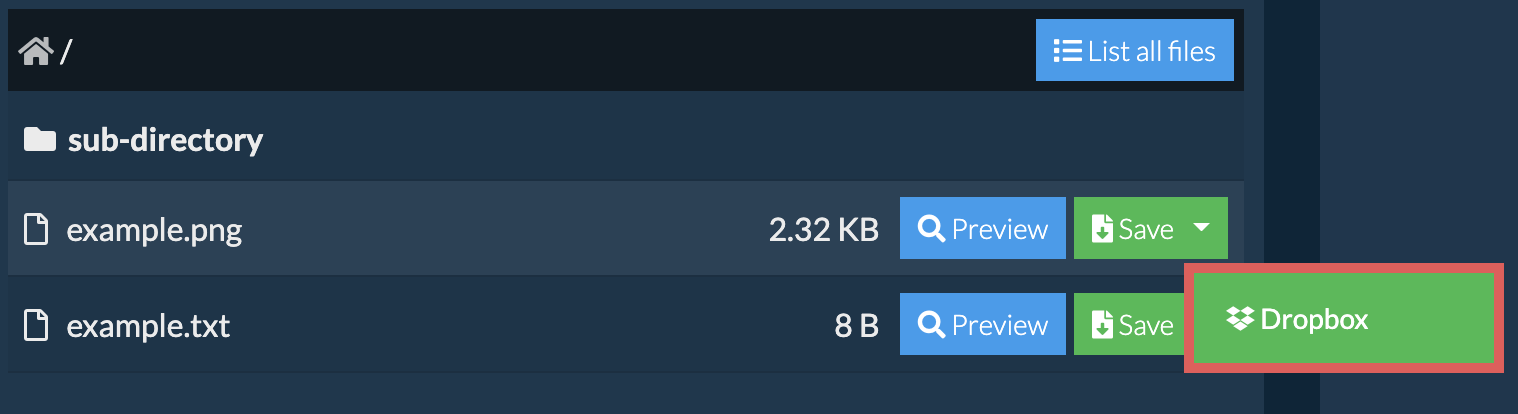
Yes. If the SFX is hosted online, you can extract it straight from the link without saving it to your computer first.
You'll need the free ezyZip Chrome or Firefox extension installed. It lets ezyZip download files from links on other websites.
Once the extension is installed, you have three ways to load a SFX from a link:
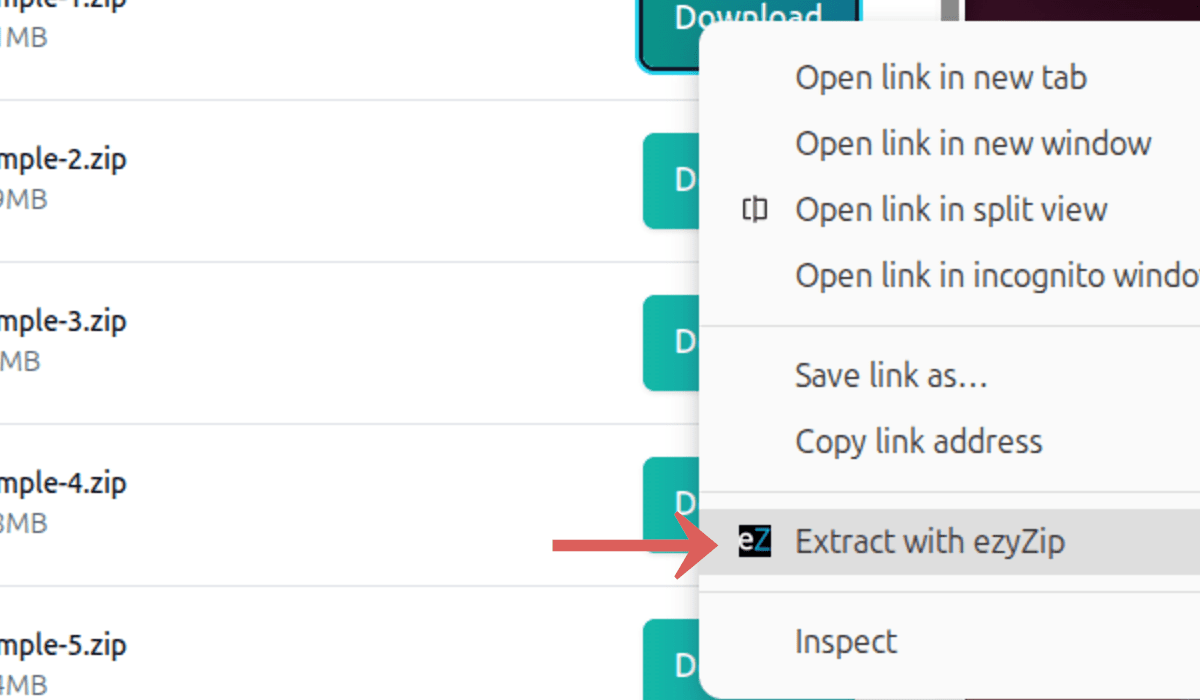
- Right-Click the LinkRight-click the link on any webpage and choose "Extract with ezyZip" from the menu.
- Paste the LinkClick the link button in the file chooser and paste the link into the link input on this page.

- Drag and DropDrag the link from another browser tab and drop it onto the file chooser.
ezyZip will fetch the SFX and extract its contents. Extraction runs entirely in your browser. No file data is sent to a server.
Frequently asked questions
We are continuously updating the system, so ensure you are using the latest version of one of the popular browsers or their variants. (e.g. Chrome, Firefox, Safari, Opera).
Please let us know via the feedback form if you have any issues.
An SFX file (Self-Extracting archive) is an executable file that contains compressed data along with built-in extraction code. Unlike standard archive formats, SFX files do not require any decompression software to be installed on the recipient's computer — the user simply runs the file and the contents are automatically extracted.
SFX archives are commonly created from ZIP, RAR, or 7Z archives and are widely used for distributing compressed files to users who may not have archive utilities installed. ezyZip uses the 7-Zip format to generate its SFX archives, producing .exe files that will self-extract on Windows platforms. ezyZip can also safely extract the contents of SFX files directly in your browser without needing to run the executable, avoiding potential security risks.
ezyZip processes files directly in your browser. Unlike most online tools, your files are not uploaded to our servers, which means faster processing and better privacy. Take a look at the feature comparison below and we think youll agree that ezyZip is the better choice for your file conversion needs.
| Feature | ezyZip | Other Online Tools |
|---|---|---|
| No Software Installation | Works Directly in Browser | Works Directly in Browser |
| Processing Location | Your Browser (No Upload) | Their Servers (Upload Required) |
| Privacy & Security | 100% Private (Files Never Leave Your Device) | Files Uploaded, Accessible by Others |
| Processing Speed | Fast (No Upload/Download Time) | Slow (Upload + Process + Download) |
| Registration Required | Never | Often Required for Large Files |
| Works Offline | Yes (After Page Load) | No |
| File Size Limit | 2GB | 100MB - 200MB |
| Batch Operations | Save All Files to Folder | Download One by One |
| File Preview | Preview Before Download | No Preview Available |
| Supported Formats | 250+ Archive Formats | Limited Format Support |
| Cost | 100% Free | Free with Limitations / Paid Tiers |
| Established | Since 2009 (15+ Years) | Recent (May Disappear) |
Why client-side SFX extraction is faster than server-based tools
ezyZip processes SFX archives locally using client-side WebAssembly (WASM). Here is why our engine is superior to server-based extractors:
- No Upload/Download DelaysYour extraction speed is limited only by your local CPU and disk I/O, not your internet connection. A 2 GB archive that takes 20 minutes to upload on a typical connection extracts in seconds locally.
- Multi-Engine FailoverIf one decompression engine encounters a rare error, ezyZip automatically switches to an alternative extractor. This cascading approach supports over 250 archive formats and handles edge cases like non-standard headers or mixed-method compression.
- Large File SupportBy leveraging the File System Access API and Origin Private File System (OPFS), ezyZip streams data directly to your disk, avoiding the memory crashes common in other browser-based tools. Archives of virtually any size can be extracted without exhausting RAM.
- Dedicated Worker ThreadsExtraction runs in dedicated Web Workers on separate threads, keeping the browser interface fully responsive. You can monitor per-file progress, preview extracted files, and continue browsing while decompression runs in the background.
- Advanced Memory HandlingFor massive archives, our Memory64 WebAssembly build bypasses standard browser memory limits, allowing you to extract files that would crash other sites. This extended addressing mode supports archives well beyond the typical 4 GB WASM memory ceiling.